

Why Azure Blob Storage and Azure App Service Make a Great Pair

When all the images disappeared from my blog, a small thought crept into my mind that moving away from stable blogging SaaS platforms might not have been the smartest idea.
My technical blog QueryCurious.com is running on an Azure App Service.
Azure App Service is an Azure multitenant hosting environment deployed on shared or dedicated Azure Virtual Machines (depending on the App tier).
All blog application code is stored in Git. Once I change anything in the site architecture, the code is being re-deployed to Azure App Service using Git Actions workflow.
When I add a new blog post, the application stores the blog post content into a database alongside its tags.
However, I didn't want to store blog images in the database. Initially, the application was storing them on a default disk on the VM.
Problem:
When App Service restarts or I deploy application site code changes, Azure rebuilds the container, a fresh UNC share is mounted to a new VM, and all images that the blog site had uploaded to the app/static/ path disappear.
Solution:
Instead of using a default app/static/ path, the application should use the dedicated file share in Azure Storage. File Share content will be available for Azure App for read and write operations, and files will not be stored locally and stay persistent, even if Azure App restarts or is redeployed.
How to connect an Azure App to Azure Storage
- Go to Azure App -> Settings -> Configuration -> Path mappings
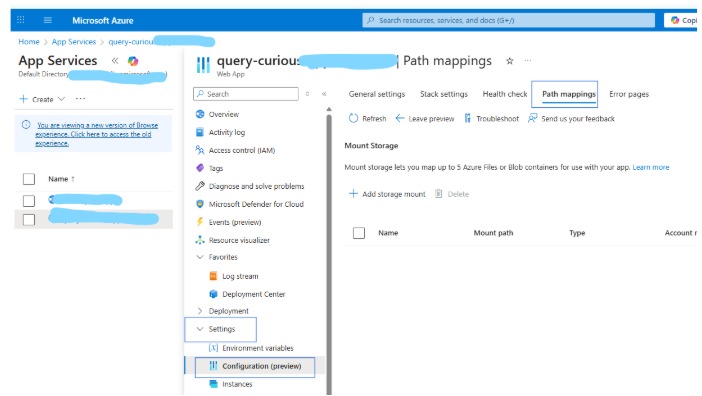
- Add Storage Mount. Note: if you plan to use a service, a private endpoint, or Azure Key Vault, use an Advanced storage account
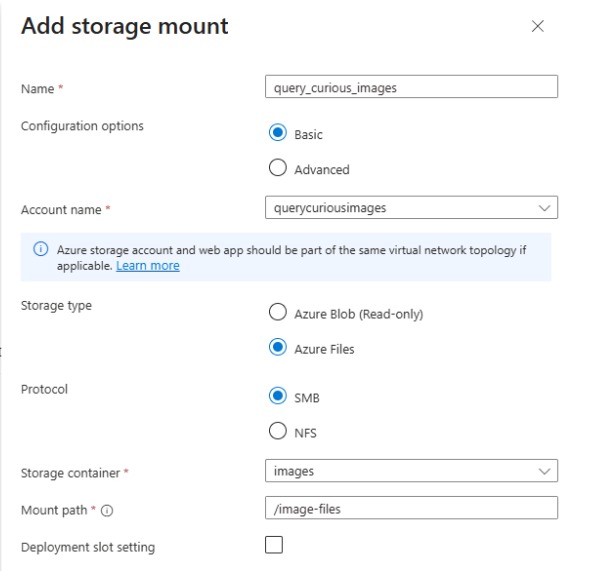
- In my Flask app, I changed upload_folder to use '/image-files/uploads/' ( Azure Storage) instead of current_app.static_folder + 'uploads' (ephemeral disk)
- Change URL generation to use a custom route instead of url_for('static')
- Add a new directory ‘Uploads’.
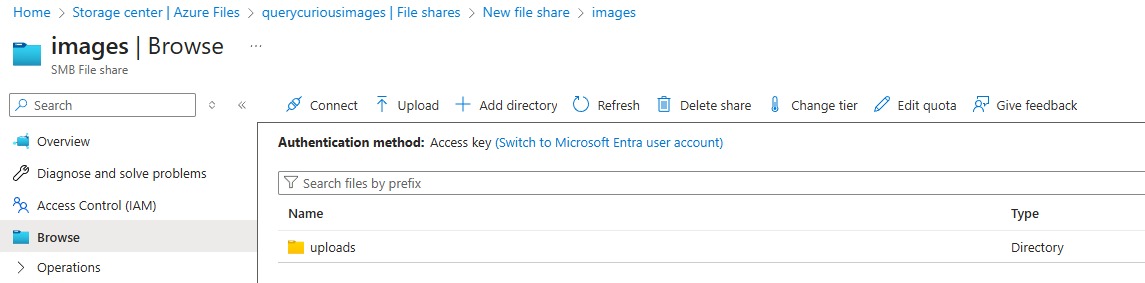
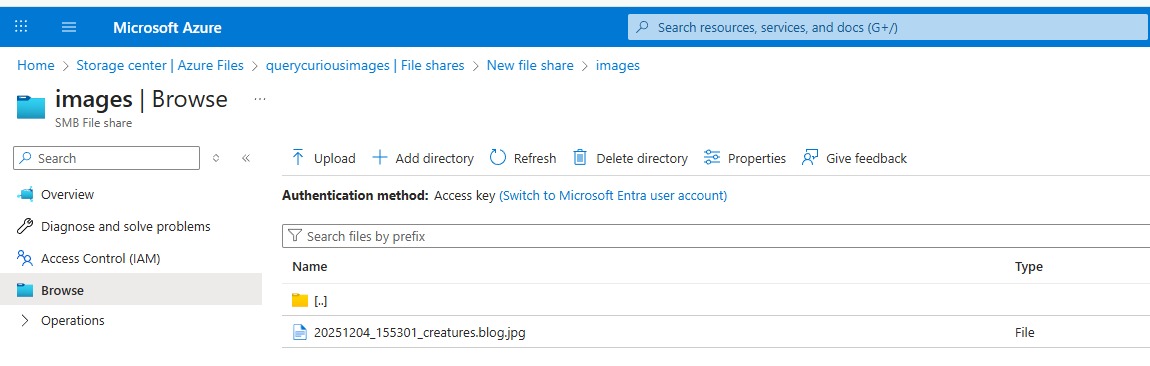
Now, each time I post a new blog, the blog’s images are getting uploaded to my Azure File share and will stay there permanently.
Comments
No comments yet.
Leave a comment