

Letting MCP Query Production MySQL
Giving an AI agent access to production is like giving your neighbor a spare key. It's convenient, and he really does water the plants. Then one day you come home and he's moved the furniture. He was only trying to help.
We kept the neighbor, because he's useful. But he gets the key to one room, and there are house rules on every floor.
The problem
An agent writes SQL nobody reviewed: full scans, giant joins, connections it forgets to close. Run that against the primary and you have an incident.
Rule 1: its own replica
MCP never touches the primary or the app replicas. It gets a dedicated Cloud SQL read replica. Replication is asynchronous, so heavy MCP queries don't slow anyone else down.
The replica leaves two gaps:
- Users replicate. Cloud SQL manages all users on the primary, so the MCP user exists on every instance. The network has to keep it on its own replica.
- Lag. Long SELECTs can slow replication and block replicated DDL. The agent then reads stale data.
On Aurora: replicas share storage with the writer, so long reads cause purge lag across the whole cluster. There, the timeouts matter even more.
Rule 2: stricter flags on the replica
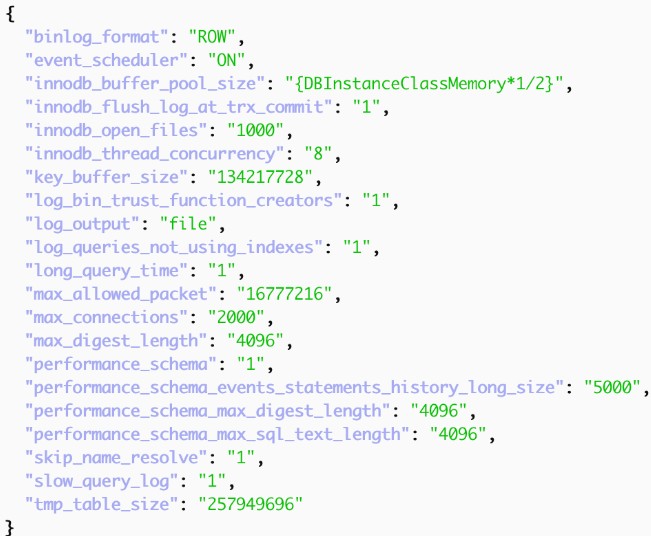
Flags are set per instance, so the MCP replica can be stricter than the primary:
max_execution_time caps SELECT runtime.
max_user_connections caps connections per account.
sql_select_limit and max_join_size cap rows returned and rows scanned.
transaction_isolation = READ-COMMITTED keeps less undo history.
The catch: most of these are only session defaults. Any user can run SET SESSION max_execution_time = 0.
Rule 3: a user with a hard budget
Account limits can't be switched off from a session. Create the user on the primary:
sql
CREATE USER 'mcp_analytics'@'10.20.%'
 IDENTIFIED BY '<from Secret Manager>'
 REQUIRE SSL
 WITH MAX_QUERIES_PER_HOUR   20000
    MAX_CONNECTIONS_PER_HOUR 600
    MAX_USER_CONNECTIONS   10
 FAILED_LOGIN_ATTEMPTS 5 PASSWORD_LOCK_TIME 1
 PASSWORD EXPIRE INTERVAL 90 DAY;
- Each server keeps its own counters, so the replica has its own budget.
- Create one account per consumer (agent, bot, team).
- Kill switch: ACCOUNT LOCK on the primary blocks new logins everywhere. Then KILL the open sessions on the replica.
Rule 4: SELECT only, one road in
- Privileges: SELECT on named schemas, or on views without sensitive columns. No PROCESS, no FILE.
- Network: give MCP a path to its replica only (Private Service Connect, egress firewall rules, or an IAM condition), and pin the account's host to the MCP subnet.
- Credentials: SSL, and ideally IAM database authentication instead of a password.
Rule 5: guardrails in the MCP server
Sessions can override flags, so filter what reaches MySQL in the first place:
- Allow a single SELECT or WITH. Reject SET, LOCK, SLEEP() and multi-statements.
- Add /*+ MAX_EXECUTION_TIME(30000) */ to every query. A hint overrides the session value.
- Cap result rows. This also protects the agent's context window.
- Run EXPLAIN first and refuse full scans of big tables.
- Keep the connection pool at or below MAX_USER_CONNECTIONS.
As a safety net, a watchdog job kills MCP queries that run past the limit.
Watch it
Alert on replica lag, on limit errors (sys.user_summary) and on MCP queries in the slow log. A spike in limit errors means the fence is working. Usually it also means the agent needs a better view, not a bigger budget.
Our neighbor still has his key. Now it opens one room. The plants have never looked better.

Comments
No comments yet.
Leave a comment